An unusual amount appears on your Bouygues Telecom bill, accompanied by the mention “Digital Global Pass”. You do not remember subscribing to anything. This scenario affects many mobile and box subscribers, often after an unintentional validation on an online content site. The good news: cancellation of this type of third-party service is possible at any time, without notice.
Why Digital Global Pass appears on your Bouygues bill
Digital Global Pass is not a service of Bouygues Telecom. It is a micropayment intermediary that allows content publishers (games, videos, horoscopes) to bill their subscriptions directly through your operator. The charge goes through your mobile or box bill, which creates confusion.
Specifically, while browsing on mobile in 3G or 4G, a simple click on a banner can trigger a subscription. The subscription remains active until you cancel it yourself. Bouygues does not do it for you, as it does not manage the content, only the payment channel.
To understand the procedure, you can cancel digital global pass with Bouygues by following a structured path that clearly distinguishes between canceling the service and disputing a charge.
Canceling Digital Global Pass online: the direct method
The quickest route is through the site gerer-mes-abonnements.fr, the official Digital Global Pass platform for managing subscriptions. Here are the concrete steps:
- Go to gerer-mes-abonnements.fr and select the corresponding billing method (mobile bill or internet box bill)
- Enter your phone number or landline ID to find the active subscriptions linked to your account
- Select the subscription(s) to cancel, then confirm the cancellation request
The cancellation takes effect immediately, without delay or fees. You will normally receive a confirmation by SMS or email depending on the service concerned.
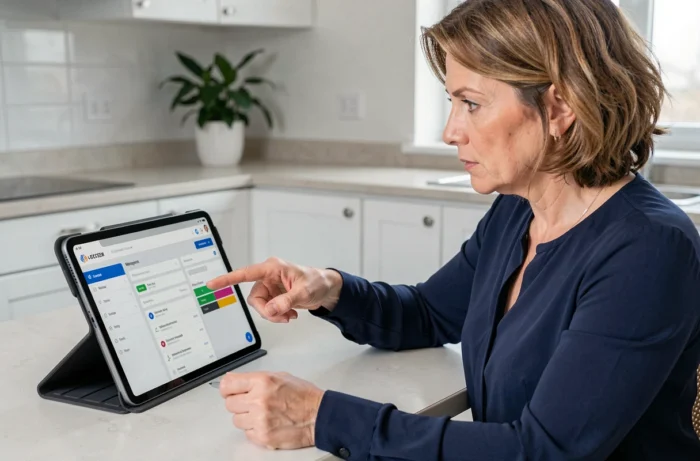
If the online platform does not find your subscription, another option exists. The Digital Global Pass customer service can be reached via a contact form available on their site. Describe your situation by specifying your line number and the reference of the charge visible on your Bouygues bill.
Contact Bouygues Telecom to block third-party payments
Have you noticed that canceling the subscription with Digital Global Pass and acting with Bouygues are two different things? This is a point that many subscribers discover too late. Cancellation stops the service, but it does not block the operator billing mechanism for any future purchases.
To prevent any new subscriptions of this type, contact Bouygues Telecom and request the blocking of billable purchases (sometimes called “Internet+” or “content purchases”). This restriction prevents any third-party publisher from charging anything via your line. You can make this request from your Bouygues customer area or by calling customer service.
This block is free and reversible. It does not affect your mobile plan or your box subscription. It only disables the micropayment channel used by platforms like Digital Global Pass.
Dispute and refund: what changes after cancellation
Cancelling a Digital Global Pass subscription stops future charges. The amounts already billed are not automatically refunded. These are two separate processes.
If you believe that the initial subscription was not voluntary, you can file a complaint. Start by gathering your evidence: the Bouygues bills mentioning Digital Global Pass, the date of the first appearance of the charge, and the confirmation of cancellation obtained.
- First, address your complaint to Digital Global Pass via their contact form, attaching the supporting documents
- If the response is unsatisfactory or absent within a reasonable time, contact Bouygues Telecom’s complaints service in writing
- Keep a copy of each written exchange, as these records are necessary in case of escalation
- As a last resort, an electronic communications mediator can be contacted, provided you have already filed a prior complaint that remained unresolved
Keep in mind that disputing a charge does not cancel the subscription. If you have not made the cancellation in parallel, new amounts will continue to appear on your subsequent bills.
Check that everything is properly stopped
After the cancellation and blocking, monitor your next two Bouygues bills. The mention Digital Global Pass should no longer appear. If a charge persists, contact Bouygues customer service again with your cancellation confirmation in hand.
Cancelling the third-party service does not cancel your Bouygues plan. Your mobile line and your box remain perfectly active. Only the billing link between the content publisher and your operator is cut off.
The most useful reflex remains the preventive blocking of billable purchases. Once activated, no new subscription of this type can be made from your line, even by accidental click. A few minutes in your Bouygues customer area is enough to prevent the situation from happening again.