Waze transforms every trip into a little sound event thanks to its thematic voices. Among the most sought-after, the one inspired by the Star Wars universe remains a classic for fans of the saga. Activating this voice takes less than a minute, but you need to know where to find it, as the option is not always visible at first glance in the settings.
Waze Thematic Voices: A Catalog That Goes Beyond Star Wars
Before diving into the settings, a useful point: Waze is no longer limited to Star Wars voices. The app regularly offers thematic voices related to pop culture, with collaborations that change over time. Master Chief, for example, is one of the recent additions.
The availability of each voice depends on the language set in the app and the version installed on the phone. A voice available in English may not appear in French, and vice versa. Keeping Waze updated via the Google Play Store or the App Store is the first reflex to adopt.
For drivers who want to go even further in customization, Waze now allows you to record your own voice. The app requests access to the microphone, then guides the user through recording standard phrases. If you’re looking for details on the Star Wars voice on Waze, this is a good starting point before further customizing the experience.
Activating the Star Wars Voice on Waze: Steps for Android and iOS
The process is identical on both systems, with a few interface details. Here’s the complete path.
- Open Waze, then tap on the speaker icon (at the bottom left on most versions).
- Under “Current Voice,” tap on the name of the displayed voice to access the full catalog.
- Search for “Star Wars,” “C-3PO,” or any other available character in the search bar.
- Select the desired voice, wait for the download, then start a route to check that everything works.
If the C-3PO voice or another Star Wars character does not appear in the list, there are two common causes: the app’s language is set to a version that does not offer this voice, or the promotional collaboration has expired. Waze sometimes removes temporary voices after a given period.
Check the Language and Region in Waze
The language setting is found in the Settings menu, then Audio and Voice. Temporarily switching to English (United States) expands the catalog of available voices. Be careful, navigation instructions will then be in English.
To return to French afterward, simply reverse the process. The selected thematic voice remains active even after a language change, as long as it has been downloaded.
Why the Star Wars Voice Sometimes Disappears from Waze
Have you ever activated C-3PO only to find that it disappeared a few weeks later? This is not a bug. Waze operates through promotional campaigns tied to movie, series, or video game releases. The Star Wars voice was first introduced during the promotion of The Force Awakens, with C-3PO giving “master” to the driver and R2-D2 punctuating turns with characteristic beeps.
When the campaign ends, Waze may remove the voice from the catalog without notice. If it is already downloaded on the phone, it may still function. However, an app update may remove it permanently.
Alternatives When the Star Wars Voice Is No Longer Available
The Waze catalog is constantly evolving. Besides character voices, the app offers voices recorded by local celebrities depending on the countries. In France, for example, Denis Brogniart has lent his voice to Waze.
The other option, more sustainable, is to record your own voice instructions. Waze guides the user phrase by phrase. A personal recording will never be removed by an update, unlike promotional voices.
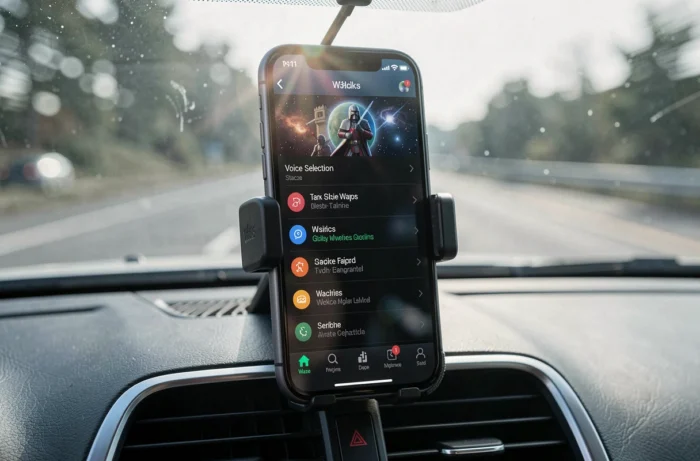
“Less Chatty” Mode on Waze: Reducing Vocal Chatter
Whether the voice is that of C-3PO or the standard GPS, some drivers find the vocal comments too frequent. Waze rolled out a mode called “Less Chatty” in 2026 that retains only the necessary navigation instructions (turn, exit, arrive) while eliminating ancillary remarks.
This mode can be combined with any thematic voice. Activating “Less Chatty” does not disable the Star Wars voice: it simply reduces the number of interventions. For long trips, it’s a good compromise between immersion and tranquility.
Where to Find the “Less Chatty” Setting
The setting is located in Settings, then Audio and Voice, under the voice volume options. The option only appears on recent versions of the app. If it is missing, an update from the Play Store or the App Store should resolve the issue.
Compatibility with Android Auto and CarPlay
One point that many drivers discover too late: the thematic voices cannot be configured from the car’s screen. You must first disconnect the phone from Android Auto or CarPlay, select the voice in the app on the phone, then reconnect everything.
Once the voice is activated, it will be played through the vehicle’s speakers via Android Auto or CarPlay. The voice change is simply locked when the phone is connected to the built-in system, as a safety measure while driving.
The Star Wars voice on Waze remains a fun feature that depends on promotional campaigns. Keeping the app updated and regularly checking the voice catalog are the only two ways to not miss the next collaboration. For a sustainable alternative, personal voice recording remains the most reliable solution.